PureRef alternatives for iPad
Is there a PureRef for iPad? No. PureRef runs on Windows, macOS and Linux, and there is no iPad version. RefStage is a searchable reference library and board for iPad, with a focus timer, composition grid overlays and reference transforms; your files stay on your device, and there is no account. DarkRef and VizRef are the other native iPad options. Here is how the three compare with each other and with PureRef itself.
Compared as of . Prices are in US dollars and may differ in your country.
| RefStage | PureRef | VizRef | DarkRef | |
|---|---|---|---|---|
| Study tools | Timer, grids, transforms | Timed slideshow, grayscale | Grayscale, flip | Not in published features |
| Searchable library | Yes | Not in published features | Not in published features | Yes |
| Palettes & harmonies | Yes | Not in published features | Not in published features | Palettes |
| Runs on iPad | Yes | Not in published features | Yes | Yes |
| Price | $14.99 once | Pay what you want | $3.99 once | Free; sync $1.99/month |
— not in the app’s published features, checked September 2026.
RefStage on iPad
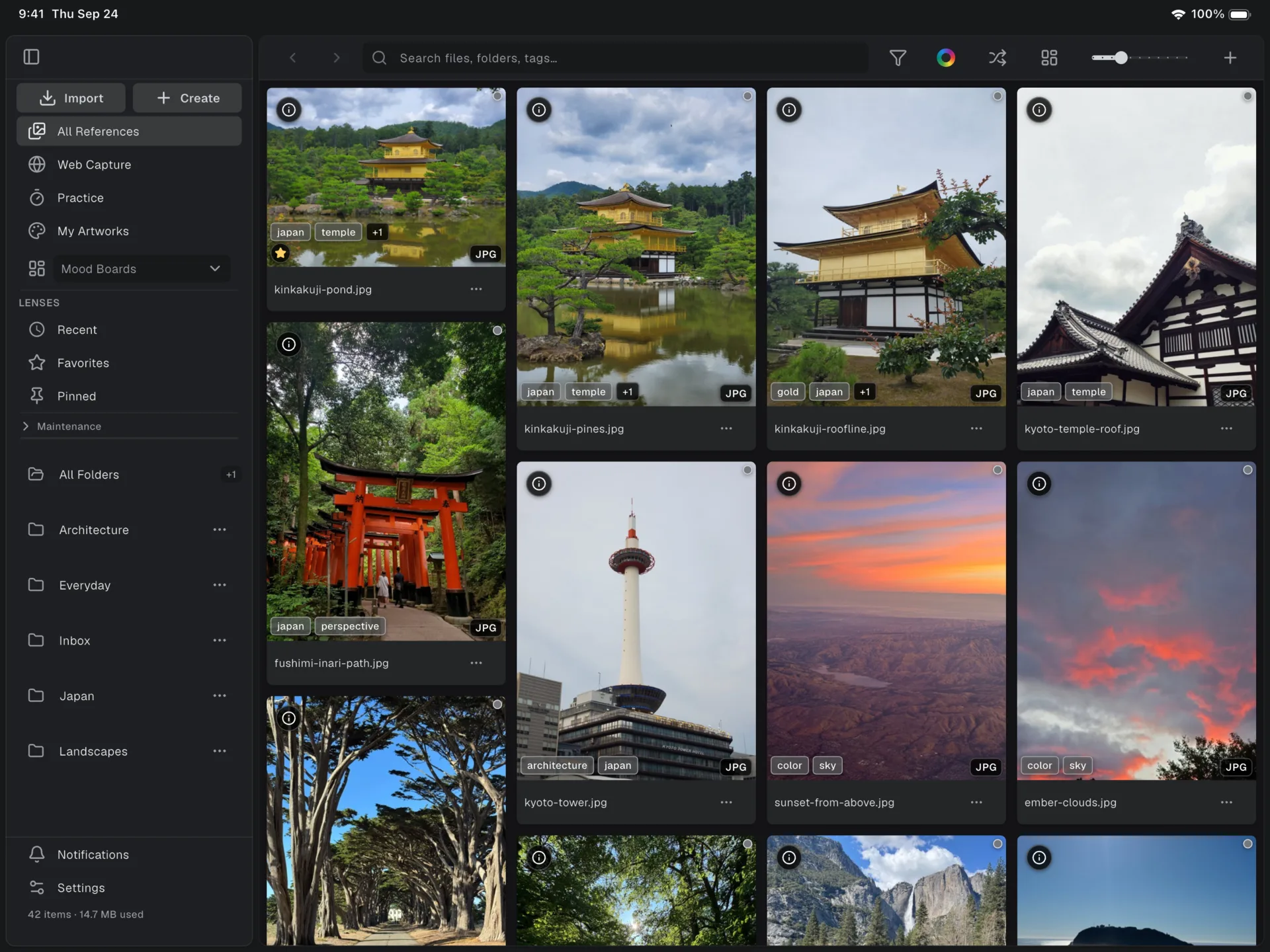
A library you can search
Organize references into folders and find any image with instant search.
Smart filters bring up favorites, untagged images and duplicates in a tap.
Everything stays on your iPad, and on a Mac or Android device RefStage indexes the folders you already have, in place.

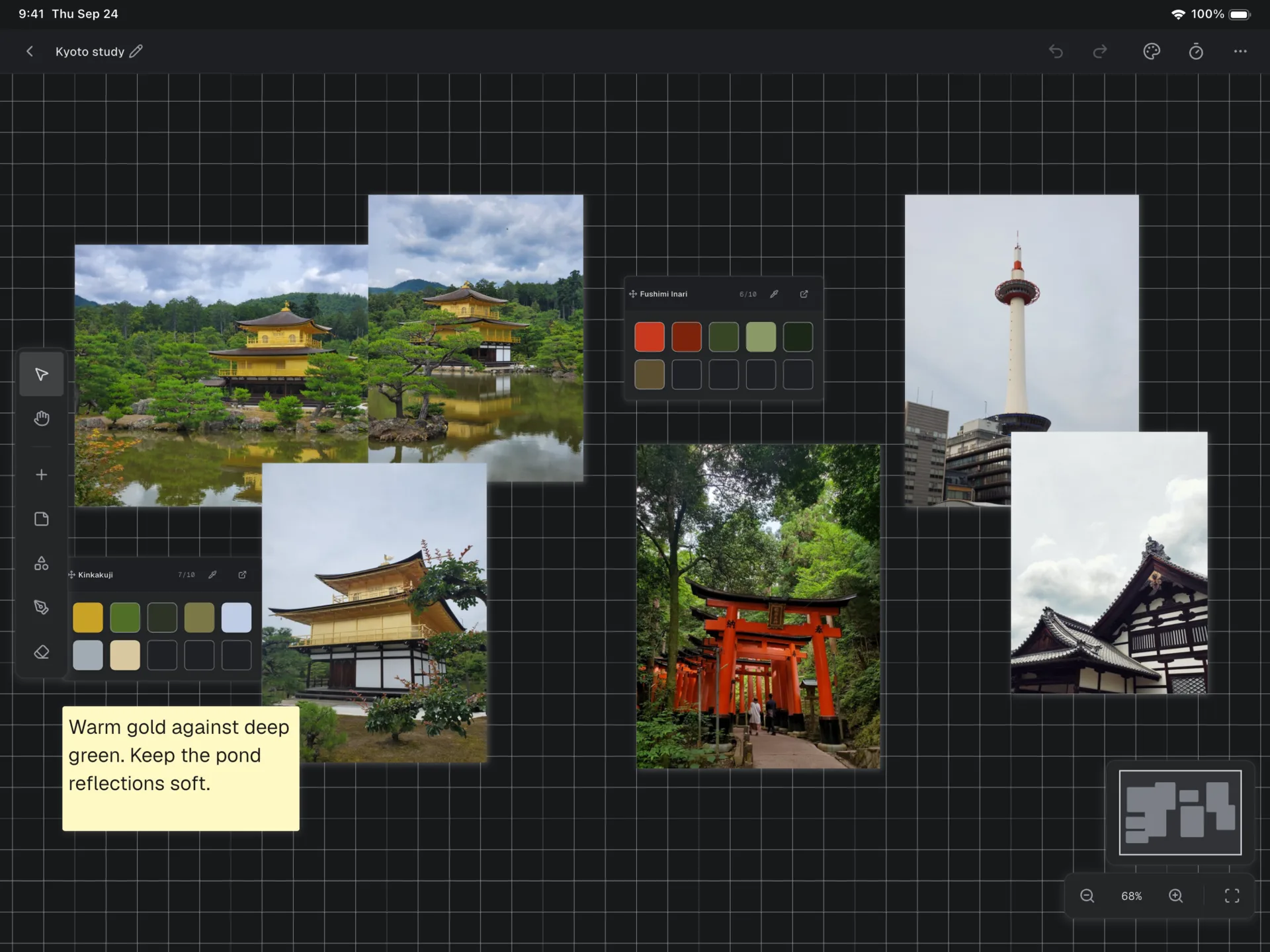
Boards you arrange freely
Place references on a board and drag, zoom and rotate each one until the layout works.
Add sticky notes and color palettes beside them, so the ideas stay with the images.
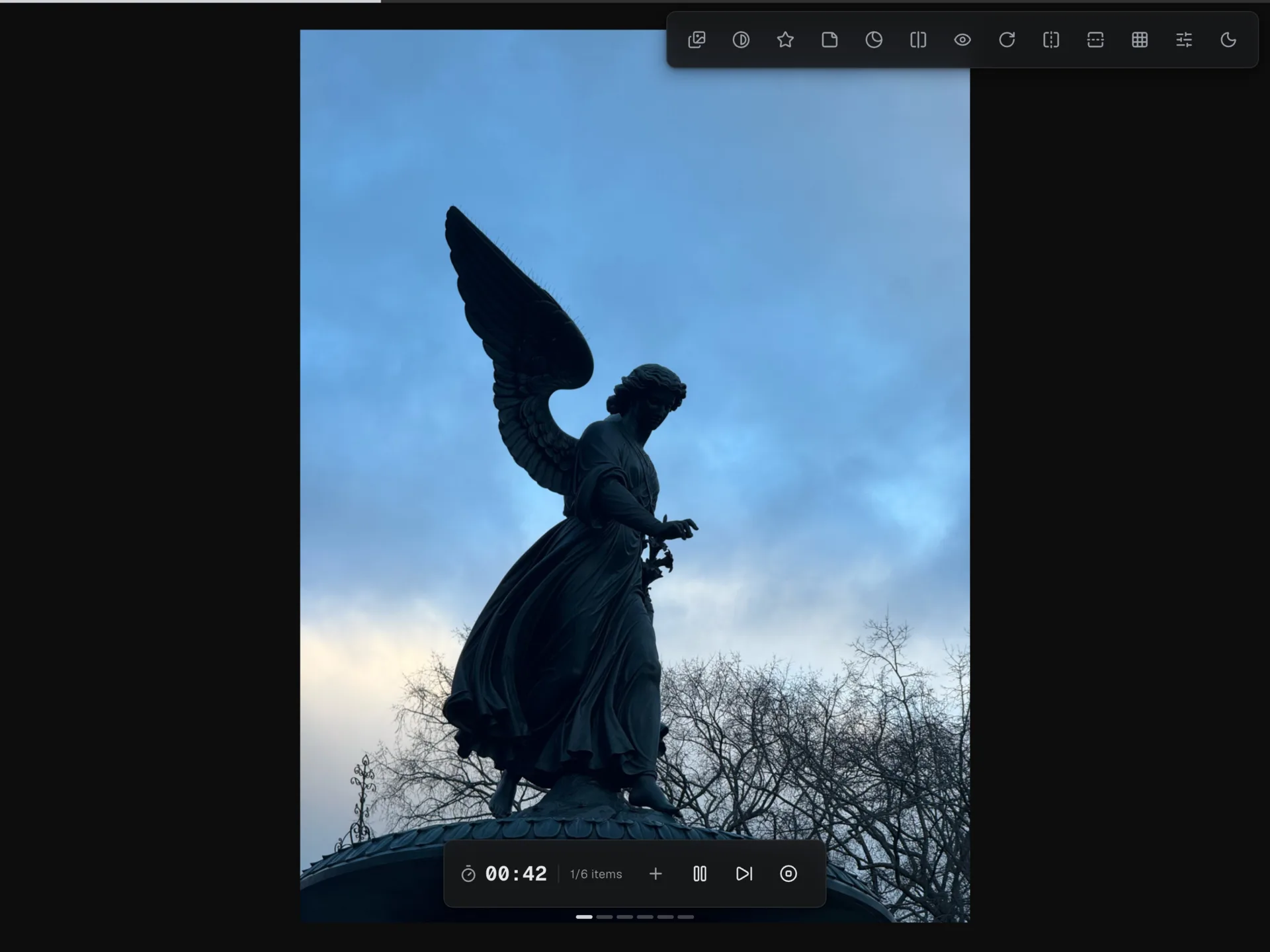
Study from your references
Start a timed session on any reference with the focus timer.
Lay a composition grid over the image, and use reference transforms like flip and grayscale to see it with fresh eyes.
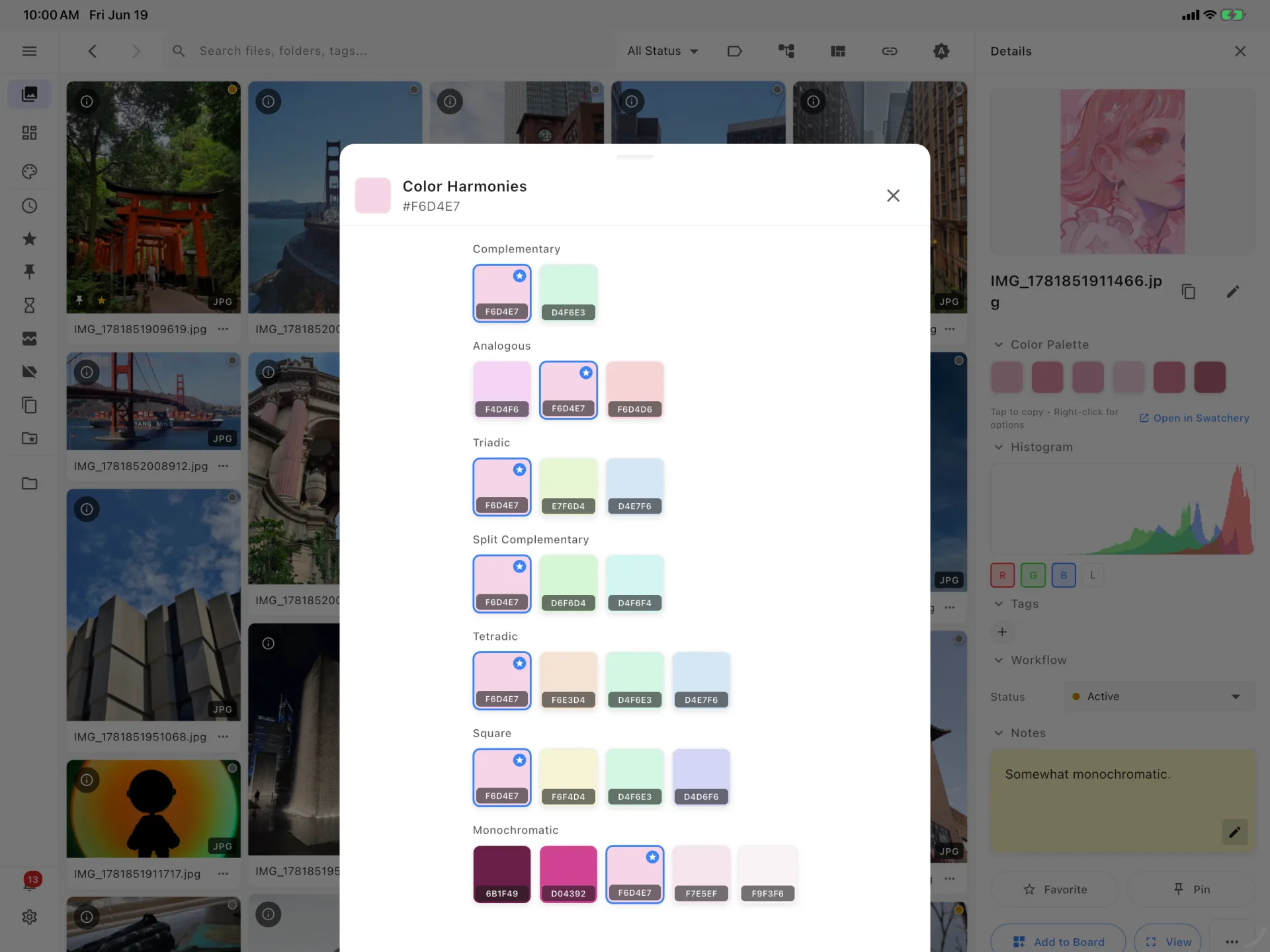
Palettes and harmonies
Pull a color palette from any image, with a live histogram beside it.
Generate harmonies from a swatch: complementary, analogous, triadic, split complementary, tetradic, square and monochromatic.
Who each app is best for
RefStage
Artists who want to study from their references on iPad, not only collect them. RefStage keeps your images in a searchable library, with folders, instant search and smart filters, alongside boards, palette extraction and color harmonies. Its study tools, a focus timer, composition grid overlays and reference transforms, work on the references you already have. Your files stay on your device, with no account and no subscription: one $14.99 purchase covers iPad, iPhone and Mac.
PureRef
Artists at a Windows, Mac or Linux computer who want a minimal, pay-what-you-want board that stays on top of their painting app.
VizRef
iPad artists who want a simple, low-cost board to keep beside Procreate, in an app last updated in June 2021.
DarkRef
Artists who want the same boards on every device, including Windows and the web, from a free app that launched on the App Store on February 24, 2026 and is rated 2.8 from 4 ratings there (US store).
Try RefStage on your iPad
$14.99 once. No account, no subscription, and your files stay on your device.
Get RefStage on the App StoreFrequently asked questions
Is there a PureRef app for iPad?
No. As of September 2026, PureRef is available for Windows, macOS and Linux only, with no iPad, iPhone or Android version. To keep a reference board on iPad you need a native iPad app instead; RefStage, DarkRef and VizRef all run on iPad.
How is RefStage different from PureRef?
PureRef is a desktop reference board for Windows, macOS and Linux that is free to try for personal use. RefStage is a paid reference library and board for iPad, iPhone, Mac and Android, with a focus timer, composition grid overlays and reference transforms for practice. RefStage is not yet available on Windows or Linux.
How much does RefStage cost?
RefStage is a one-time purchase of $14.99 USD, with no subscription and no account. One App Store purchase covers iPad, iPhone and Mac; Android is a separate Google Play purchase.
Which platforms do these apps run on?
RefStage runs on iPad (iPadOS 16 or later), iPhone, Mac and Android, with Windows and Linux planned. PureRef runs on Windows, macOS and Linux. VizRef runs on iPad, with a separate iPhone app, VizRef Lite. DarkRef runs on iPad, iPhone, Mac and Windows, in a web browser and as a Chrome extension.
Where are my files stored?
RefStage never uploads your files. On iPad and iPhone they are kept in RefStage’s library on your device; on a Mac or Android device, RefStage indexes the folders you already have, in place. PureRef stores images only on your computer, and VizRef keeps its boards on your device rather than in iCloud. DarkRef stores references on your device, and its optional paid Sync plan stores synced files on Google Cloud Storage.
Sources
- PureRef download and pricing page, checked September 2026.
- PureRef handbook, checked September 2026.
- PureRef FAQ, checked September 2026.
- VizRef App Store listing, checked September 2026.
- VizRef Lite App Store listing, checked September 2026.
- VizRef privacy policy, checked September 2026.
- DarkRef website and download page, checked September 2026.
- DarkRef App Store listing, checked September 2026.
- Keystone Studios privacy policy, checked September 2026.
RefStage details are from our own App Store and Google Play listings. PureRef, VizRef and DarkRef are trademarks of their respective owners.